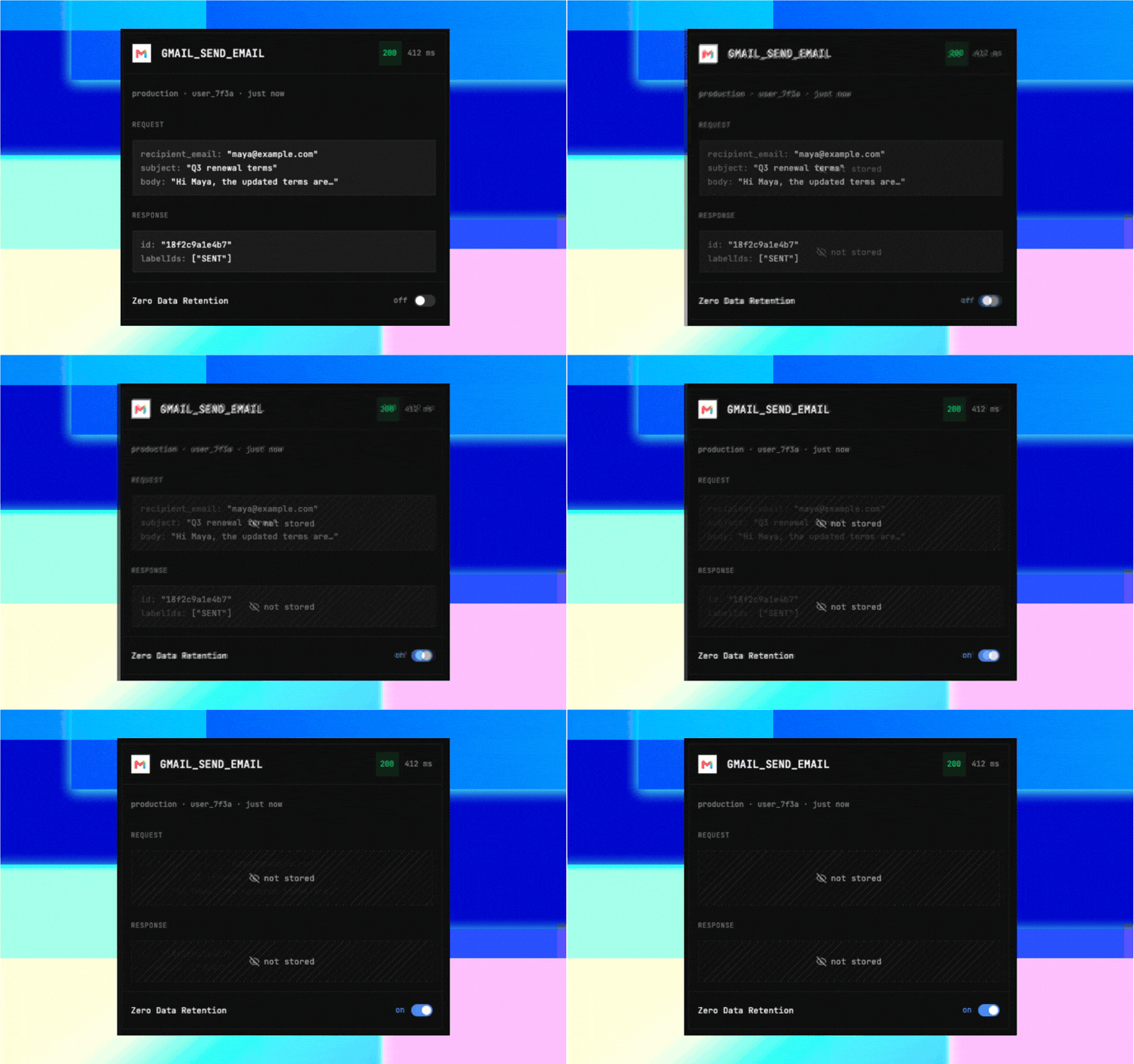
Here's what shipped in September: Zero Data Retention with controls across your organization and for individual projects, Shared Connections and Skills in For You, Session controls, new tools and toolkits, Atomic Agent's Composio integration, and a look inside Yang. Platform Zero Data Retention is hereDevelopers can now run covered tool calls and Proxy Execute requests without storing their request arguments, response data, or error text in Composio's execution logs. Logs still retain metadata. Zero Data Retention replaces the Don't store data setting and adds organization-wide controls alongside per-project settings. - ZDR is available for an additional usage-based fee on paid plans and included on Enterprise. Admins can enable it across current projects or control it per project.
- ZDR applies to new calls. Existing logs remain subject to the standard retention policy.
- Read the full coverage details before enabling it. For more information on how Composio handles data retention, visit trust.composio.dev
|
For You Shared Connections and SkillsConnect once, share with your teamShared Connections let teammates use one connected account through their own agents, without each person authenticating separately. Share a connection to a team app, invite your teammates, and use the activity logs to see who's using it. Save a workflow as a SkillSkills let you save instructions for recurring tasks and share them with your team. For example, capture how you put together a weekly customer update so another teammate's agent can follow the same steps. Ask your agent to create a Skill, then search for and load it when you need it again. |
Atomic Agent now connects to your apps with ComposioAtomic Agent is an open-source agent that runs on your machine and supports local models through llama.cpp. Add your Composio API key in its Integrations tab, then ask it to work across your apps. You can say "email this to the team" without choosing a tool first. - The agent searches for the right tool, reads its schema, and asks you to connect an account when needed. Actions on your connected accounts follow Atomic Agent's approval policy.
- Local models handle inference on your machine. App authentication and tool execution run through Composio.
|
New tools and toolkitsThe catalog now includes provider-hosted MCP servers alongside Composio-built toolkits, with options for Cloudflare, MongoDB, Grafana Cloud, and PostHog. September also brought about 60 new toolkits. - NotebookLM and TikTok Ads also gained Composio-managed OAuth, so you can connect without registering your own OAuth app.
- Webhook triggers now cover 20+ apps, including Shopify, Jira, Stripe, Outlook, DocuSign, Monday, Calendly, Twilio, Trello, and Close. Composio handles provider registration and delivers signed events to your application's webhook endpoint.
- Filter Outlook triggers by importance, catch Slack thread replies, and subscribe to a webhook when a user's connection becomes active.
Webhook triggers are available on the Developer Platform. Build with webhook triggers. |
Inside Yang, our toolkit software factoryAPIs change, tools break, and agents need those tools to keep working. Yang builds and repairs Composio toolkits, puts review bots in front of human approval, and checks production telemetry after a fix ships. Our new engineering post walks through the system, including how Yang's coding-agent sessions survive failures and why a green CI run isn't the end of the job. |
Karan on MTS LiveKaran joined MTS Live to talk about authentication for agents, the risks of handing them raw API keys, and using shared connections across a team. Watch the clip for his take on connecting agents to the apps people already use. |  |
|
Platform For buildersControl agent access with SessionsA session defines which toolkits and tools an agent can use and which connected accounts it acts on. Allow or block access, pin specific accounts, and reuse toolkit and tool access through saved session configs. - WHO_AM_I and display names on connections help you check whose account your agent is using.
- For projects with Session configs enabled, create named access policies in the Dashboard and apply them through the experimental TypeScript API.
|
Even more for builders- Shipped: More complete examples cover a CSV report agent, multiple accounts, custom tools, and an email-triggered agent. The docs now organize examples by complete agents, integration patterns, and deployment.
- Experimental access: Instant Tools let you run supported tools without connecting a provider account. Usage is billed to your Composio balance. Learn how to request access.
- Coming soon:
- End-user MCP: give your users access to custom MCP servers with OAuth authentication
- Governance improvements with Approval Mode: human-in-the-loop approval for sensitive tool calls
For updates between issues, follow @ComposioDevs. |
|